정리하기
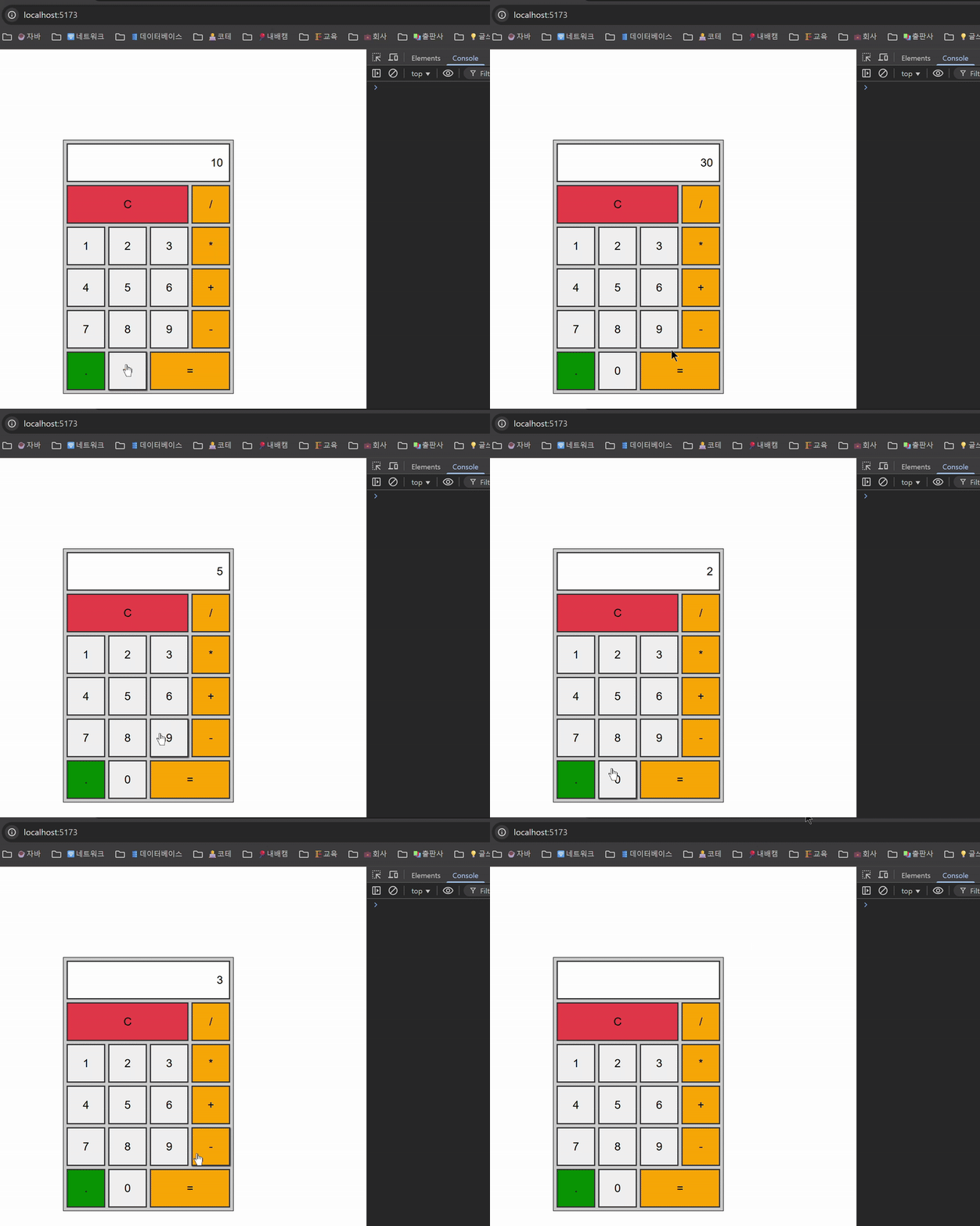 계산기 구현 결과
App.vue
<script>
export default {
  data() {
    return {
      output: null, // 출력칸에 표시되어 사용자에게 노출되는 값
      prev: null, // 이전에 입력된 값 또는 연산 결과
      cur: null, // 현재 입력된 값
      operator: null, // 연산자
      operatorActions: { // 사칙연산을 수행하는 함수를 각각 객체로 정의
        "+": (a, b) => a + b,
        "-": (a, b) => a - b,
        "*": (a, b) => a * b,
        "/": (a, b) => a / b,
      },
    };
  },
  methods: {
    clear() { // 초기화 로직을 초기화 함수로 분리
      this.output = null;
      this.prev = null;
      this.cur = null;
      this.operator = null;
    },
    calculate(n) { // 연산 흐름을 제어하는 함수로 분리
      // 저장된 숫자가 없는데 연산 기호를 클릭한 경우
      if (!this.cur && !this.prev) {
        alert("숫자를 먼저 입력해주세요.");
        return;
      }

      // 사칙연산 기호를 연달아 클릭한 경우
      if (this.operator !== '' && !this.cur) {
        alert("연산 기호를 연속해서 누를 수 없습니다.");
        return;
      }

      this.cur = Number(this.cur);

      // 사직연산 기호면 연산 수행
      if (this.operator !== null) {
        // 앞에서 operatorActions 를 객체로 정의
        // 객체의 각 속성은 함수를 값으로 가지는 메서드라서 다음처럼 작성 가능
        this.prev = this.operatorActions[this.operator](this.prev, this.cur);
        // 등호면 연산 결과 노출
        if ( n === '=') {
          this.output = this.prev;
          this.operator = null;
          this.cur = this.prev;
        } else {
          this.output = null;
          this.operator = n;
          this.cur = null;
        }
      } else {
        this.output = null;
        this.operator = n;
        this.prev = this.cur;
        this.cur = null;
      }
    },
    userInput(n) { // 사용자가 입력한 숫자를 저장하는 로직을 함수로 분리
      // 사용자가 입력한 숫자(실제로는 문자열) 저장
      this.cur = this.cur === null ? n : (this.cur += n);
      // 입력한 값이 출력칸에 표시되도록 output 데이터에 저장
      this.output = this.cur;
    },
    operation(e) { // 연산 로직 분리
      // 클릭한 버튼 값 가져오기
      const n = e.currentTarget.value;
      if (n === 'C') {
        this.clear(); // 초기화 함수 호출
      } else if (["+", "-", "*", "/", "="].includes(n)) {
        this.calculate(n); // 연산 흐름 제어 함수 호출
      } else {
        this.userInput(n); // 사용자가 입력한 숫자 저장 함수 호출
      }
    },
  },
};
</script>

<template>
  <div class="calculator">
    <form name="forms">
      <input v-model="output" type="text" name="output" readonly />
      <input @click="operation" type="button" class="clear" value="C" />
      <input @click="operation" type="button" class="operator" value="/" />
      <input @click="operation" type="button" value="1" />
      <input @click="operation" type="button" value="2" />
      <input @click="operation" type="button" value="3" />
      <input @click="operation" type="button" class="operator" value="*" />
      <input @click="operation" type="button" value="4" />
      <input @click="operation" type="button" value="5" />
      <input @click="operation" type="button" value="6" />
      <input @click="operation" type="button" class="operator" value="+" />
      <input @click="operation" type="button" value="7" />
      <input @click="operation" type="button" value="8" />
      <input @click="operation" type="button" value="9" />
      <input @click="operation" type="button" class="operator" value="-" />
      <input @click="operation" type="button" class="dot" value="." />
      <input @click="operation" type="button" value="0" />
      <input @click="operation" type="button" class="operator result" value="=" />
    </form>
  </div>
</template>

<style>
* {
  margin: 0;
  padding: 0;
  box-sizing: border-box;
}

body {
  background-color: #ffffff;
  display: flex;
  justify-content: center;
  align-items: center;
  height: 100vh;
}

.calculator {
  width: 287px;
  border: 1px solid #333;
  background-color: #ccc;
  padding: 5px;
}

.calculator form {
  display: grid;
  grid-template-columns: repeat(4, 65px);
  grid-auto-rows: 65px;
  grid-gap: 5px;
}

.calculator form input {
  border: 2px solid #333;
  cursor: pointer;
  font-size: 19px;
}

.calculator form input:hover {
  box-shadow: 1px 1px 2px #333;
}

.calculator form .clear {
  background-color: #ed4848;
}

.calculator form .operator {
  background-color: orange;
}

.calculator form .dot {
  background-color: green;
}

.calculator form input[type="text"] {
  grid-column: span 4;
  text-align: right;
  padding: 0 10px;
}

.calculator form .clear {
  grid-column: span 3;
}

.calculator form .result {
  grid-column: span 2;
}
</style>


댓글